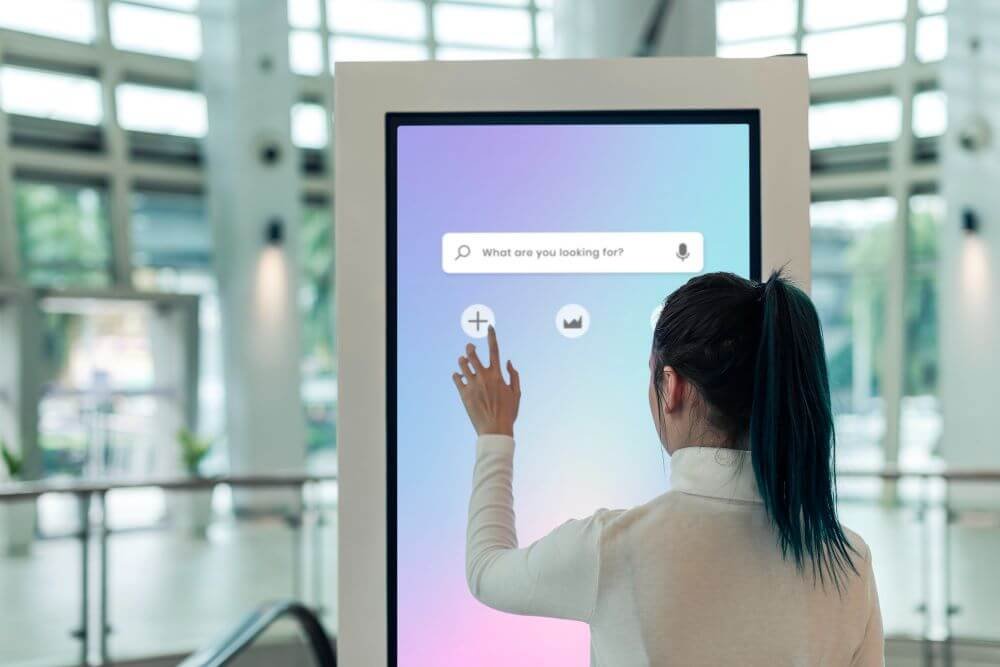
Digital kiosks are becoming an increasingly relevant part of customer-facing services across retail, hospitality, transportation, healthcare, and other industries. These interactive systems allow users to complete routine transactions, access information, and engage with business services through dedicated digital interfaces. However, the success of kiosk technology depends on more than hardware specifications or the number of available functions. Customers must be able to understand, access, and operate the equipment comfortably within its intended environment. Businesses considering interactive technology solutions from specialists such as Evoke should prioritise user experience and accessibility throughout planning, design, and implementation. An effective digital kiosk should simplify service delivery while accommodating different customer requirements, levels of digital confidence, and physical or sensory abilities.
Understanding User Experience in Digital Kiosk Design
User experience refers to the overall interaction a person has with a product, service, or digital system. In the context of interactive kiosks, it encompasses everything from identifying the equipment and understanding its purpose to navigating screens and completing a transaction. A positive experience depends on whether customers can achieve their intended objectives with reasonable effort and confidence. Businesses should consider the complete interaction rather than focus exclusively on visual appearance or technical functionality. A kiosk may incorporate advanced features but still provide an unsatisfactory experience if customers struggle to understand instructions, find relevant information, or resolve transaction difficulties.
Why Accessibility Matters in Customer-Facing Technology
Accessibility involves designing products and services so that people with different abilities can use them effectively. Customers may operate digital kiosks with physical disabilities, visual impairments, hearing difficulties, cognitive differences, or temporary limitations. Equipment that fails to accommodate relevant accessibility requirements can exclude customers from services and create additional difficulties for employees. Businesses should identify accessibility considerations early in kiosk development rather than addressing them only after installation. Inclusive design can support a wider range of users while creating a more practical, customer-focused service environment.
Creating Clear and Intuitive Navigation
Navigation determines how users move between different stages of a digital interaction. A kiosk interface should present available options logically and guide customers toward their intended objectives without unnecessary complexity. Excessive menus, unclear buttons, or inconsistent screen layouts can increase transaction times and frustrate users. Businesses should identify the most common customer journeys and structure the interface around these requirements. Important functions should be easy to locate, while users should have clear opportunities to return to previous steps or correct their selections. Effective navigation is particularly important in public environments where customers may have limited time to familiarise themselves with unfamiliar technology.
Using Readable Text and Appropriate Visual Design
Visual presentation plays an important role in how customers understand information displayed through digital kiosks. Text should be sufficiently readable for the intended environment, with appropriate sizing, spacing, and contrast. Businesses should avoid relying solely on colour to communicate essential information, as users may perceive colours differently. Icons should be understandable and supported by text where necessary. Screen layouts should prioritise relevant content rather than overcrowd the interface with promotional material or unnecessary graphics. Appropriate visual design can help users identify important actions, understand instructions, and complete transactions more confidently, particularly in busy or unfamiliar surroundings.
Considering Physical Accessibility and Equipment Positioning
The physical design and positioning of digital kiosks can significantly influence accessibility. Screen height, viewing angles, control placement, and the availability of clear floor space should be considered in relation to different customer needs. Equipment that is difficult to approach or operate from a seated position may create barriers for some users. Businesses should also examine whether surrounding furniture, queues, or other installations restrict access. Physical accessibility requirements depend on the intended application and relevant standards. Early assessment of equipment placement and enclosure design helps organisations identify practical limitations before installation and potentially avoid costly modifications.
Supporting Customers With Different Sensory Requirements
Customers may interact with digital technology using different sensory capabilities. Where appropriate, kiosk designs may incorporate alternative ways to present essential information, such as audio guidance or accessible visual instructions. Audio features alone may not meet every accessibility requirement, particularly in noisy public environments or situations involving private information. Businesses should assess which interaction methods suit their intended users and service requirements. Incorporating appropriate alternatives can reduce dependence on a single communication method. However, accessibility features should be evaluated through representative user testing rather than assumed to be effective solely because they are technically available.
Accounting for Different Levels of Digital Confidence
Although digital technology has become familiar to many consumers, customers vary considerably in their experience and confidence when using self-service systems. Some individuals may be comfortable navigating complex interfaces, while others may require additional guidance when completing unfamiliar transactions. Businesses should use clear language, straightforward instructions, and predictable interaction patterns to reduce confusion. Avoid technical terminology when simpler explanations are available. Providing visible assistance options and allowing customers sufficient time to complete relevant tasks can also improve usability. A customer-focused interface should accommodate different experience levels without creating unnecessary delays for confident users.
Designing Effective Error Messages and Transaction Feedback
Customers need to understand whether their actions have been recognised and whether a transaction has been completed successfully. Clear feedback can include confirmation messages, visible progress indicators, or instructions explaining the next required action. When errors occur, the interface should provide understandable information about the problem and available resolution options. Generic error messages may leave customers uncertain about whether an order has been submitted or a payment has been processed. Businesses should consider common transaction difficulties during interface development and ensure that recovery procedures are appropriate. Effective feedback helps customers maintain confidence throughout their interactions with digital equipment.
Protecting Customer Privacy Within Public Interfaces
Digital kiosks often operate in public or shared environments, where others may be able to observe customer interactions. Depending on the application, users may enter payment information, booking references, contact details, or other personal information. Businesses should consider equipment positioning, screen visibility, and suitable session management when designing customer-facing systems. Personal information should not remain accessible to subsequent users after transactions have ended. Organisations must also assess applicable privacy and information security requirements. Protecting customer information supports both operational responsibility and user confidence, particularly when digital services involve sensitive or confidential transactions.
Understanding Accessibility Requirements in the United States
Organisations implementing digital kiosks in the United States should assess relevant accessibility obligations based on the nature of their services and operating environments. Depending on the circumstances, requirements under the Americans with Disabilities Act and other applicable federal, state, or local provisions may be relevant. Certain types of equipment or government-related services may also be subject to additional accessibility standards. Businesses should seek appropriate technical and legal guidance where necessary rather than assume a single general design checklist ensures full compliance. Early consideration of applicable requirements can support more informed equipment selection and implementation decisions.
Testing Digital Kiosks With Representative Users
User testing provides an opportunity to evaluate how customers interact with digital kiosks before wider deployment. Businesses should consider involving individuals with different accessibility requirements, language backgrounds, and levels of digital experience. Observing actual interactions can reveal difficulties that may not be apparent during technical development. For example, users may struggle to identify specific controls, misunderstand instructions, or find that equipment placement limits comfortable access. Feedback should be used to refine interface design and operational arrangements. Testing is most valuable when organisations evaluate complete customer journeys rather than isolated screen designs or individual hardware functions.
Maintaining Accessibility During Software and Hardware Updates
Accessibility and usability require ongoing attention throughout the operational life of a digital kiosk. Software updates may introduce new navigation patterns, change visual layouts, or affect existing accessibility features. Hardware replacements and adjustments to equipment placement can also influence user interactions. Businesses should establish appropriate review and testing procedures when implementing significant changes. Maintaining documented accessibility considerations can help development teams and equipment providers understand the requirements that must be preserved. Regular assessments support a more consistent customer experience and reduce the likelihood that future technological changes unintentionally introduce new barriers.
Providing Appropriate Employee Assistance
Even well-designed digital kiosks may not accommodate every customer need or unusual transaction requirement on their own. Employees should be available through suitable arrangements to assist when necessary. Staff training should cover common user difficulties, equipment functionality, and procedures for managing interrupted transactions. Businesses should also establish alternative service channels for customers who cannot use a kiosk effectively. Providing human assistance does not mean the digital system has failed; rather, it recognises the diversity of customer needs. A flexible service environment combines the convenience of self-service technology with accessible personal support.
Measuring User Experience After Implementation
Businesses should evaluate kiosk performance using indicators that reflect actual customer experiences. Relevant measures may include transaction completion rates, abandonment rates, requests for assistance, customer feedback, and average transaction times. Accessibility-related feedback should also be reviewed to identify recurring difficulties. Organisations should avoid interpreting a high transaction volume as automatic evidence of successful usability, particularly when customers have limited alternatives. Combining quantitative measurements with direct observations and user feedback provides a more reliable assessment. Regular evaluation helps businesses prioritise improvements that address practical customer needs and maintain the long-term effectiveness of their digital services.
Frequently Asked Questions (FAQs) About Digital Kiosk User Experience and Accessibility
Why is user experience important in digital kiosk implementation?
User experience determines how easily customers can understand and operate a digital kiosk. Clear navigation, readable information, and appropriate transaction feedback can help users complete tasks confidently. Poorly designed experiences may increase transaction times, create frustration, and require additional employee assistance despite the availability of advanced technology.
What makes a digital kiosk accessible?
An accessible digital kiosk considers the requirements of people with different physical, sensory, and cognitive abilities. Relevant factors may include equipment positioning, screen readability, control accessibility, alternative interaction methods, and appropriate assistance options. Specific requirements depend on the application, operating environment, and applicable accessibility standards.
Are businesses in the United States required to provide accessible kiosks?
Accessibility obligations may apply under the Americans with Disabilities Act and other relevant provisions, depending on the organisation, equipment, and services involved. Businesses should assess their specific circumstances and obtain appropriate professional guidance where necessary. General accessibility features alone do not automatically establish compliance with every applicable requirement.
How can businesses improve digital kiosk usability?
Businesses can improve usability through clear instructions, logical navigation, readable visual layouts, understandable error messages, and representative user testing. Observing actual customer interactions can help identify practical difficulties. Regular reviews and appropriate employee assistance also support continued improvements following initial implementation.
Does accessible kiosk design require additional investment?
Accessibility considerations may influence hardware selection, software development, testing, and installation costs. However, addressing these requirements early can help businesses avoid some unnecessary redesign or modification expenses. The overall financial impact depends on the intended application, existing infrastructure, and specific accessibility requirements.
Conclusion
User experience and accessibility are fundamental considerations in successful digital kiosk implementation. Businesses must ensure that interactive technology is not only technically functional but also understandable, approachable, and appropriate for the diverse customers who use it.
Clear navigation, inclusive physical design, reliable transaction feedback, and suitable assistance options contribute to a more effective self-service environment. Organisations should also address privacy, applicable accessibility obligations, and ongoing maintenance throughout the equipment’s operational life.
By prioritising customer needs during development and continuing to evaluate performance after installation, businesses can create digital kiosk experiences that support greater convenience, inclusive service delivery, and long-term operational reliability.